Free Keyword Density Checker
Use our free keyword density checker to analyze keyword frequency, check density percentages, detect keyword stuffing, and optimize your content for SEO in seconds.
Keyword Density Checker
Paste your content or page HTML to see how often each keyword and phrase appears.
Advanced options
Results will appear here after you click Check Density.
Keywords in Title, Meta Description & H1
Page elements found in the HTML you pasted, and which of your target keywords appear in each.
| Element | Content | Keywords found |
|---|
Most Used Words & Phrases
These are the words and phrases that appear most often in your content. Common words like "the" and "and" are left out. Use this list to confirm your main keywords are used naturally and that no other word is repeated too much.
| Keyword | Count | Density |
|---|
Introductions of Keyword Density Checker
Most junior marketers I coached believed a keyword density checker was about hitting one magic percentage, yet the real lesson is restraint. After years of auditing a web page against top performing competitors, I learned that keyword stuffing quietly kills natural language, and Google notices before readers do.
In practice, I paste text or page HTML into the textarea, press the check button, and a full report appears in a tabular format within a few seconds. It splits one-word keywords from two-word keywords, three-word keywords, and four-word keywords, showing frequency beside each top keywords row.
Contrary to SEO pros chasing 2-3%, my honest answer on ideal keyword density remains it depends. I treat keyword density as a small factor and revisit user intent, context, and quality content first, because search engines ultimately reward pages written for human users, not crawlers.
What Is Keyword Density?
In my audits, a keyword density figure rarely explains ranking on its own, yet clients keep asking for it. It is simply the percentage of usage: how often a keyword appears compared with the total word number on a web page, nothing more mystical than that.
The calculating is easy: count every occurrence, divide by the sum of words, multiply by 100. A phrase used twelve times in a 600-word piece lands at 2%. I treat that proportion as a quick scan signal, never a target, because chasing numbers invites keyword stuffing.
Years ago, marketers treated these numbers like a scoreboard, and Google eventually punished that obsession. Today I read frequency counts beside keywords placed naturally in the title and meta description, because indicators only matter when the content still reads like a person wrote it.
About This Tool
Most over-optimized drafts I audited looked fine until a reliable tool exposed the frequency of one keyword phrase. This free online tool works as a quick overview, letting you extract most used keywords from any text or page HTML in seconds, without any signup, plugin, or technical background.
Back when I tracked rankings manually, I pasted every blog post into spreadsheets. Now the tool handles calculating across one word, two word, three word, and four word combinations, then hands back a full report with percentage figures beside each entry.
Historically, SEO folks guessed at keyword usage by eye, which is unreliable. Today, a custom content piece goes into the input field, and the tool reads the pasted text or page HTML, reporting signals that influence page’s ranking and best search performance.
Why Use Our Keyword Density Checker
Contrary to popular belief, chasing a perfect number backfires; what matters is balance. The keyword density analyzer shows whether a target keyword sits at a normal level, too high or too low, so you can make adjustments before Google algorithm updates punish low quality content.
When the Panda update hit, clients panicked over keyword stuffing. A keyword density table now makes competitor keyword research painless: run a competitor’s content through the tool, then compare their keyword frequency with yours, and you can reduce repetitive words and phrases in minutes.
How to Use Keyword Density Checker?
Step #1: Paste your content into the text box. For a published page, paste the full page HTML so the tool can also read the title, meta description, and H1. For drafts, plain text works fine. The free online keyword density calculator handle the rest.
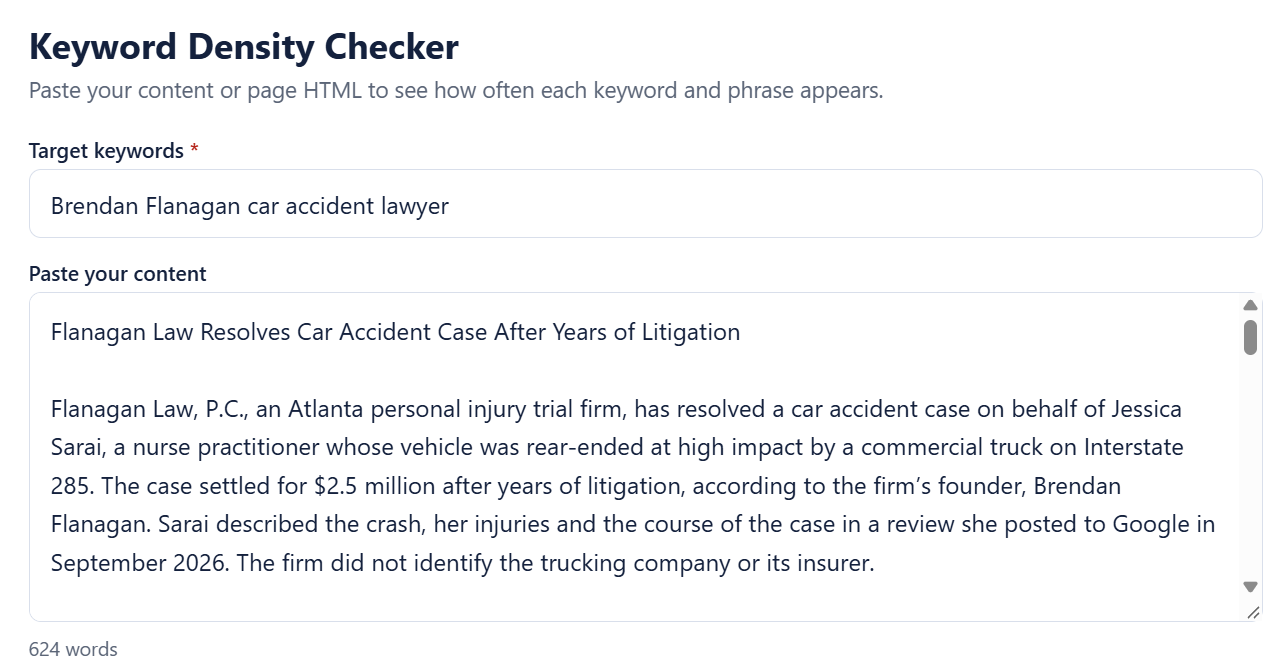
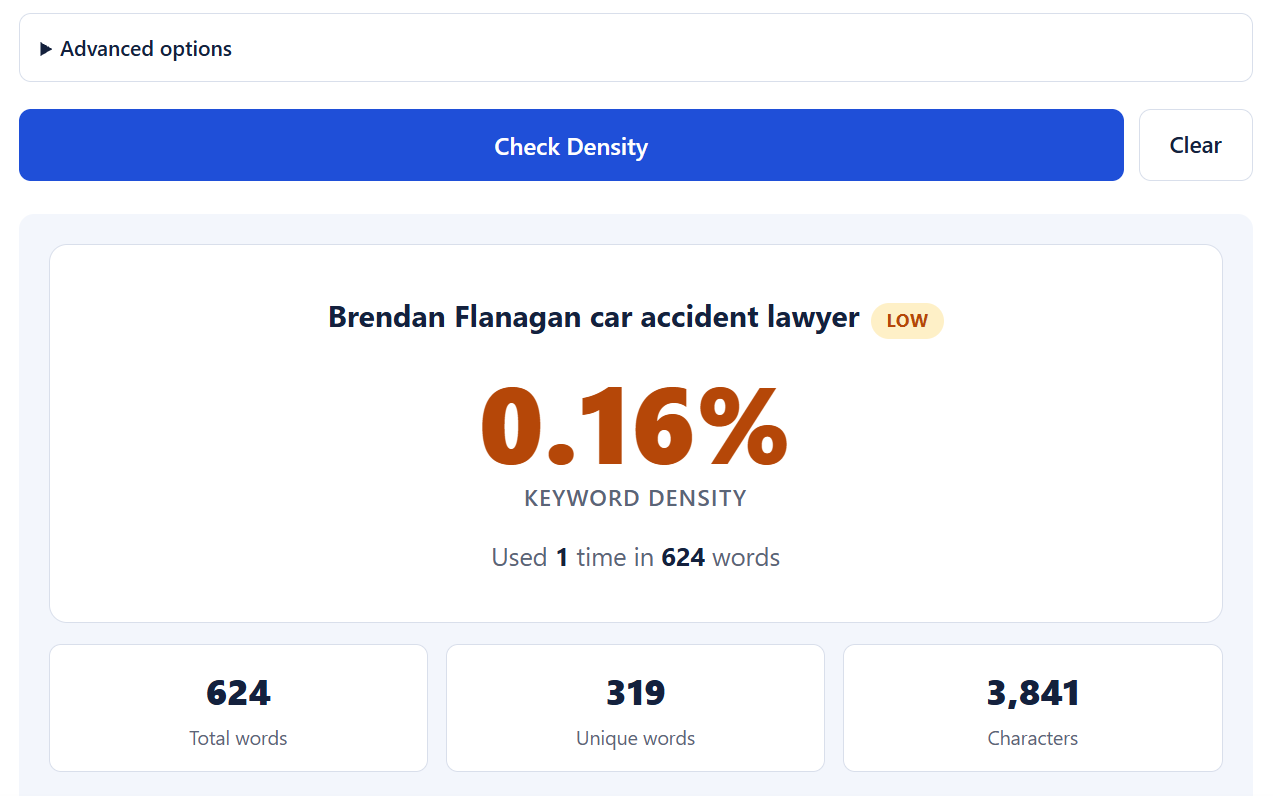
Step #2: is the payoff: enter your target keywords separated by commas, press Check, and read the density percentages. Then paste a competitor’s content and compare their keyword data with yours before you revise the content.
Which Parts Are Calculated?
Whenever I run a whole web page through a keyword density analyser, the first surprise is scope. When you paste page HTML, it reads the on-page body, the H1, the meta title, and the description, but ignores backlinks, because those count as off-page factors.
Filtering decides what actually counts. Under advanced options, a stopword min-length limitation drops short filler words, and results appear grouped in descending tiers, sorted by keyword frequency. A customized report showing repeating times per term tells more than a tag cloud alone.
Everything hinges on the total number of words on the page, so I paste text or page HTML and check keyword phrases against the total number of keywords. The calculator won’t judge content optimization for you; Google and any search engine still read the content.
How Important Is Keyword Density for SEO?
I’ll say something contrarian: keyword density is an SEO metric that matters far less than experts claim, yet ignoring it is reckless. A percentage of keywords pushed past acceptable values hurts ranking, while a modest frequency helps search engines grasp your topic.
On client sites, I’ve watched keyword stuffing become a spammy practice that earns a violation of Google’s webmaster guidelines. Overly stuffed content with higher repetition reads like intensive cramming, so clicks drop, and natural content with synonyms and related keywords wins.
Before publishing, I analyze the webpage with a Keyword Density Checer, then compare target keywords against a competitor. The keyword usage key factors are content relevance and content length; a compact piece of content needs fewer repeats than long content forms, ideally staying at or below 2.5% .
What Is the Best Keyword Density?
Ask ten experts and you’ll hear ten answers, but I trust what I’ve seen on live webpages. Keep keyword density modest, and let natural language lead. A 500-word content piece repeating its main focus keywords 15 times feels forced, whatever any calculation says.
I treat 0.5-2.5% as a safe range, never a verdict. Run the draft through a Keyword Density Analyzer, then check the keyword frequency against the total word count. If a keyword occurs too often near the H1 or meta title, trim it before any penalties appear.
Short pages tolerate less repetition than long guides, so I judge target keywords by SEO performance, not stuffing quotas. Before I publish, I compare metrics from existing checkers, avoid over-optimization, and keep keyword phrases varied. Anything mentioned too many times gets rewritten for visitors.
Keyword Density Best Practices for Search
In my own audits, the safest habit is keeping your percentage of keyword usage low and steady. Pair target keyword density with contextual phrasing, add long-tail keywords, and let Google and the search engine index reward content that reads naturally. Pages that follow better ranking habits rarely need rescuing later.
This Keyword Density Checker Is a Very Helpful Tool When You Are
Honestly, I reach for a Keyword Density Checker whenever a draft feels off. It flags overusing early, helps me place focus keyword’s where the Title tag and Meta description need them, and keeps internal links and anchor text sensible, so I can analyze edits before they go live.
Privacy Disclaimer: We Do Not Store or View Your Content
I get asked about this constantly, so here’s the plain answer: when you run the keyword density tool, when you copy and paste your content, nothing is published, saved, or read by anyone. Your content and website drafts stay private, and every keyword density checks session simply ends when you close the page.